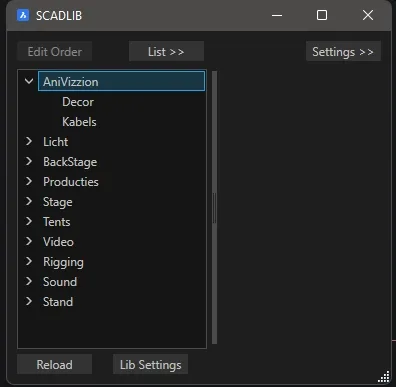
Custom Library
To create your own library, you need a folder of DWGs (the blocks) and a CSV file that adds that folder to the SCADLIB menu.
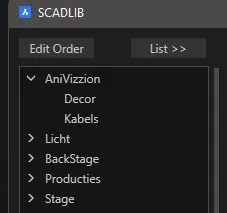
In short:
- Make a folder with DWGs.
- Make a CSV that tells
SCADLIBwhich subfolders hold the library. - Set up the Custom Library once with
SETLIB(or several).
Let’s go through the steps. First, the folder structure. You need a main folder that holds the CSV, with folders inside it that contain the DWGs (the blocks). In our example it looks like this:
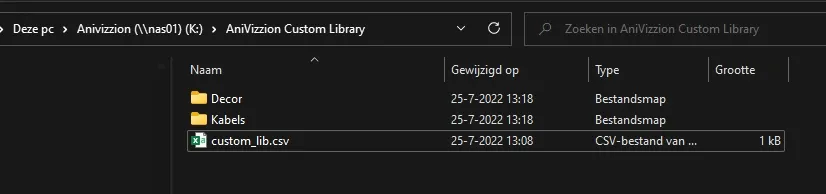
The blocks that go in the library are in the subfolders. Note that the DWG file name becomes the block name, so the DWG must NOT contain a block with the name of the DWG. Otherwise the block tries to load itself.
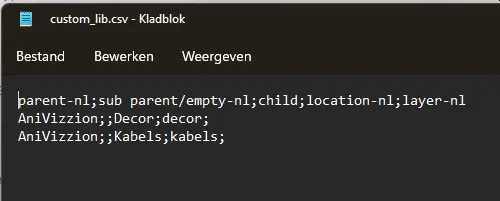
Then the CSV. Make it in Excel or as a text file. You can copy lcmenu.csv in c:\scad-rev\library and edit that, or download the example custom_lib.csv. In our example we make two folders:

Column A has the header parent-nl, which holds the name of the Custom Library. Keep repeating the name in rows 2, 3, etc. to put everything under this name.
The sub parent column (B) can be empty.
The child column sets the name of the page in the library. This can be any name, but it often matches the folder that holds the DWGs (column C).
Column C is the folder name. This is always a subfolder of the location of the CSV, unless the full path is given.
Save the file and close it. SCAD Re-Event can’t open it while it is still open in Excel. The CSV file as text looks like this:
All that’s left is to set it up in SCAD Re-Event with SETLIB. This command is in the ribbon under Library, but you can also type it or call it from the SCADLIB menu (bottom left there is a Lib settings button).
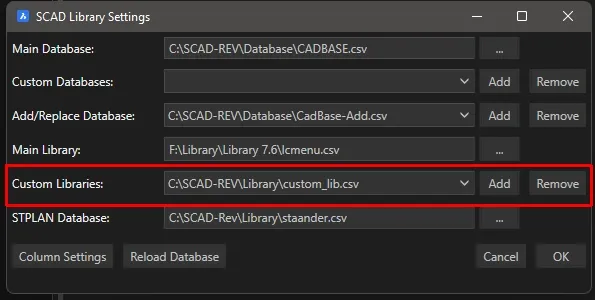
You can load several Custom Libraries. To remove one, choose the right one from the list and click Remove.
The Reload button in the SCADLIB menu loads your changes.