The SCAD user interface
The SCAD Re-Event screen
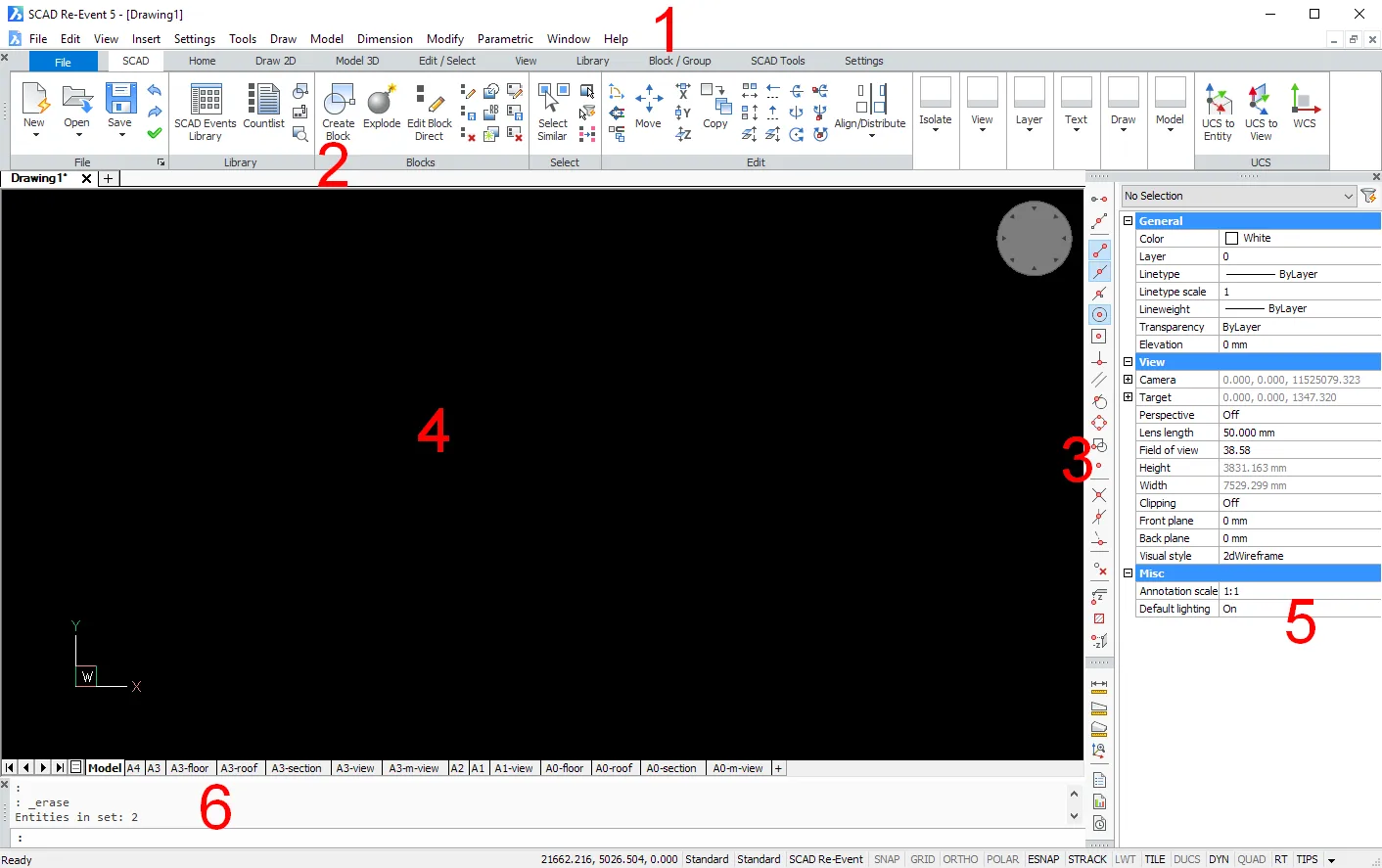
- Menu bar
- Ribbon
- Toolbars (docked)
- Drawing window
- Properties bar
- Command bar
Command Bar The command bar has 2 fields: • In the lower field you can type commands. The prompts, options and other information about the running command also appear here. If the command bar is not visible (closed), this information appears in the Status Bar. • The command history appears in the upper field of the command bar.

- Close button
- Grip: press and hold the left mouse button to drag the command bar.
- Command history
- Command line: type commands and command options here
- Scroll Buttons: click the arrow buttons to scroll through the history
Status Bar The status bar is along the bottom edge of the SCAD application window. It shows a lot of information about the settings in the current drawing. The status bar has 16 fields. All of them are optional, except the Status field. A list of all fields appears when you click the small black ▼ on the right side of the status bar. Click a field to switch its display on or off. Right-click a field to show an options menu for that field.

- Status • Shows the status of the program. • When the cursor is over a toolbar button, a short description of the command (tooltip) appears. • If the command bar is closed, the command options and keyboard input appear here. • Double-click to open or close the command bar.
- Coordinates
- Active layer
- Active color
- Active linetype
- Active text style
- Active dimension style
- Shows whether the grid is active
- Shows whether
GRIDpoints are visible - Shows whether ortho is active
- Shows whether Entity Snaps are active
- Shows whether Polar Tracking is active
- Shows whether Entity Snap Tracking is active
- Shows whether lineweights are visible
- Active workspace
- Switch to a digitizer/tablet