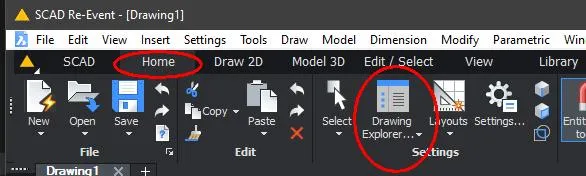
The Drawing Explorer
Besides the graphical content, a DWG also contains a number of definitions and settings that are needed to display the drawing. You can find these settings in the Drawing Explorer.
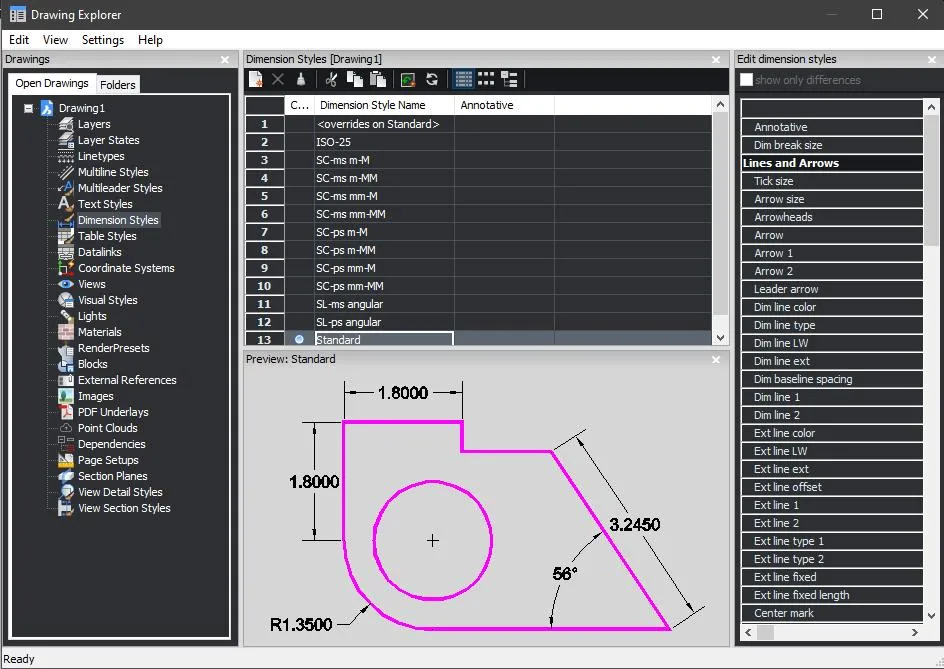
- Layers: all layers in the drawing
- Layer States: saves the layer settings so you can restore them later
- Blocks: a block is a composite object that is treated as a whole.
- Views: the current view (zoomed in or not) can be saved as a Saved View, which you can recall later.
- Coordinate Systems: each drawing can define and use its own coordinate system.
- Line types: a list of the line types present. You can also add new line types.
- Text Styles: a list of the text styles present. You can also add new text styles.
- Dimension Styles: a list of dimension styles. You can also add new dimension styles.
- Xrefs: a list of external drawings that are linked to the current drawing.
- Images: a list of images (bitmaps) that are linked to the current drawing.
- Dependencies: a list of external files and definitions needed for the current drawing. Missing definitions are marked.
- Page Setups: the settings of the layouts (paper space)
- Section planes: planes that let you view a drawing as a section
- View detail styles: detail view in paper space for mechanical parts
- View section styles: section view in paper space for mechanical parts.