DMX patching
Lights are patched using a “fixture block”: a block with data (attributes) that represents the light. This block holds data such as Mode, Channels, Universe and Address. The fixed data (power, name, which mode has how many channels, etc.) comes from the Spot Info file. The variable data, such as ID (Desk Channel), Universe and Address, is determined by SCAD Re-Event. You can do this right when inserting with DMXINSERT, or afterwards with DMXPATCH.
You can customize the fixture block. For the most part you are free to choose which data it uses, as long as it matches the Spot Info file and the export template. MVREXPORT exports to MVR and MVRIMPORT loads the data back in. These last two commands are still in development.
To make everything work properly, you need to configure a few settings and have a few files in place. First, the files:
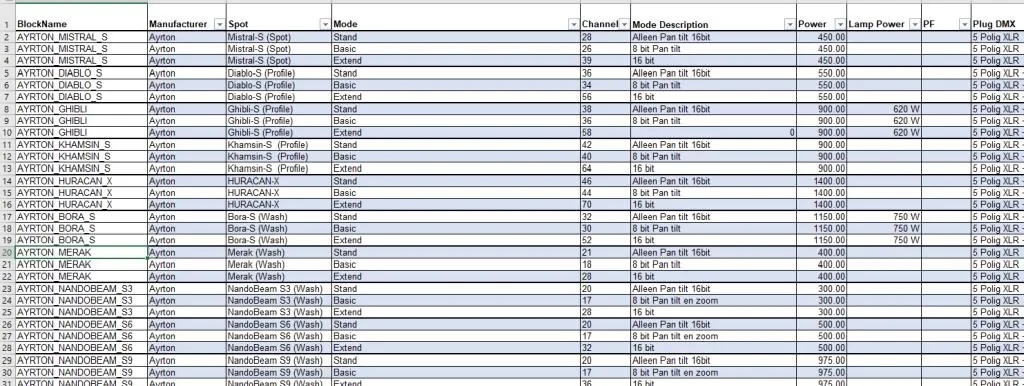
Spot Info: An Excel file with information about a fixture (spot). Among other things, it contains the number of channels and the different modes. By default this is Spot-info SCAD Re-Event.xlsx in c:\scad-rev\database
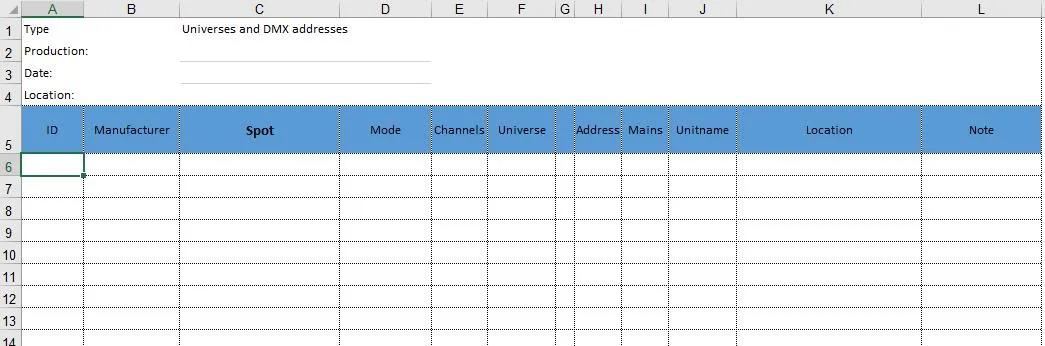
DMX Template: When the patch list is exported, a file is used to hold the data. By default this is DMX Template.xlsx, which is also in the Database folder.
$FIXTUREBLOCK.DWG This is the block that contains the attributes (data) of a light (mode, universe, address, etc.). The block can have a different name as long as it is set in the settings. By default this block is in c:\scad-rev\support.
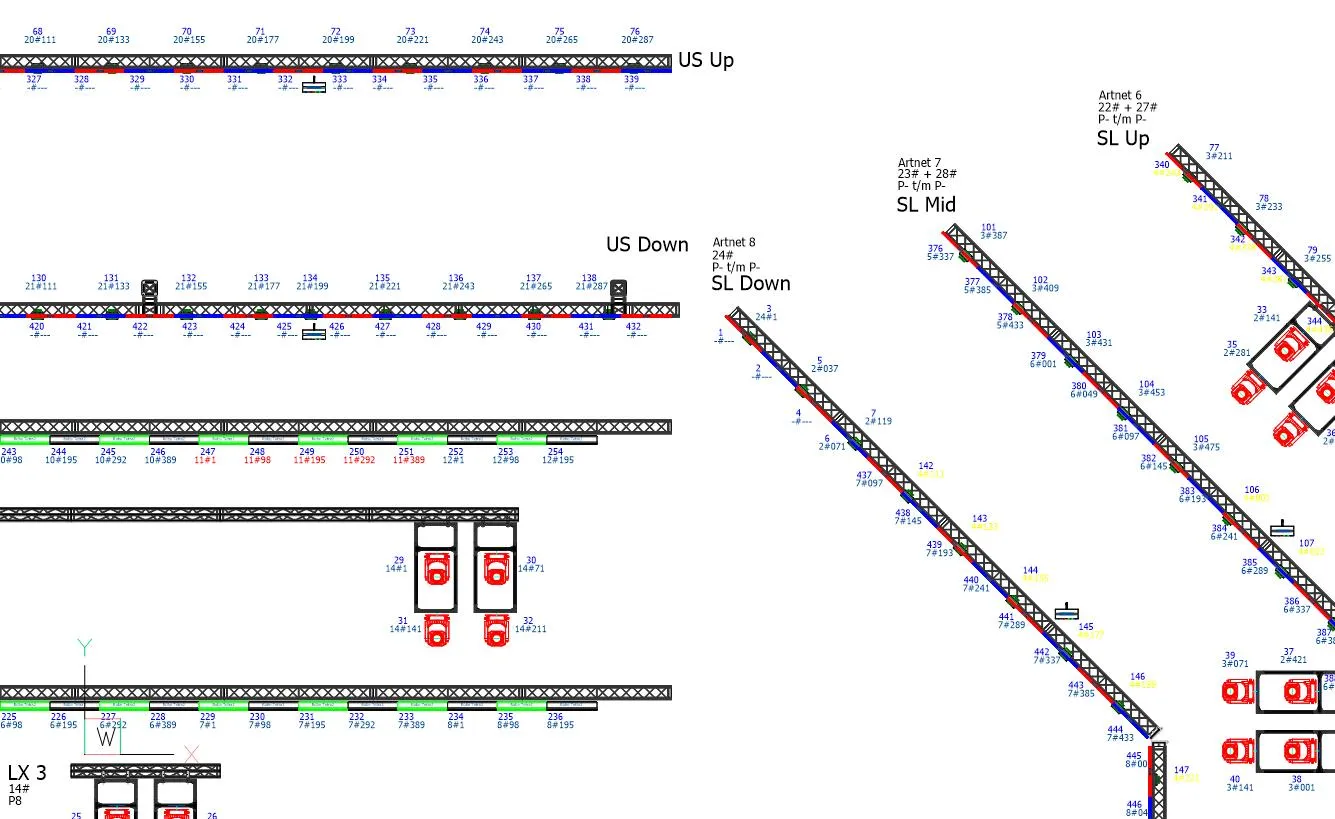
The SCAD Re-Event patch module therefore works with a block with attributes that hold the light’s data. The light itself, as it appears in the library, doesn’t need any attributes. The big advantage is that you can always place the block with the data (attributes) neatly, without text running across a truss or a light. As the image at the very top shows, the patch data is clearly readable in the drawing.
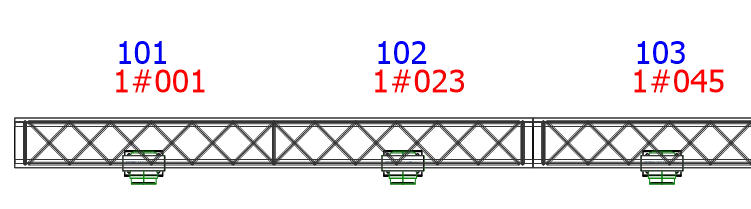
The patch block is usually “linked” to a light in the drawing, but it doesn’t have to be. You can make a perfectly good patch with patch blocks alone. The patch block has quite a few attributes, of which only a few are visible by default (ID, Universe and Address).
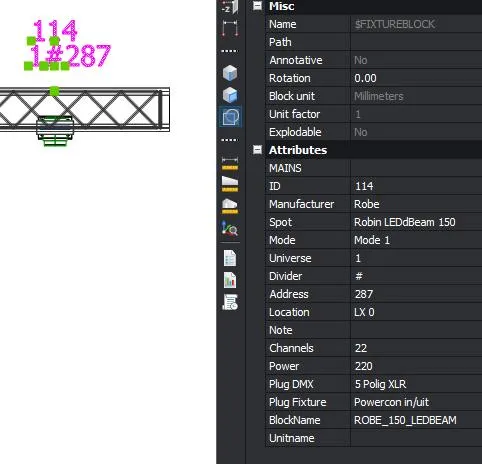
The patch block works together with the Spot Info file to determine which fixture it is and which modes are available, with how many channels. Some attributes must therefore match a specific column in the Spot Info file by name. You can adjust this in the DMXSETTINGS menu:
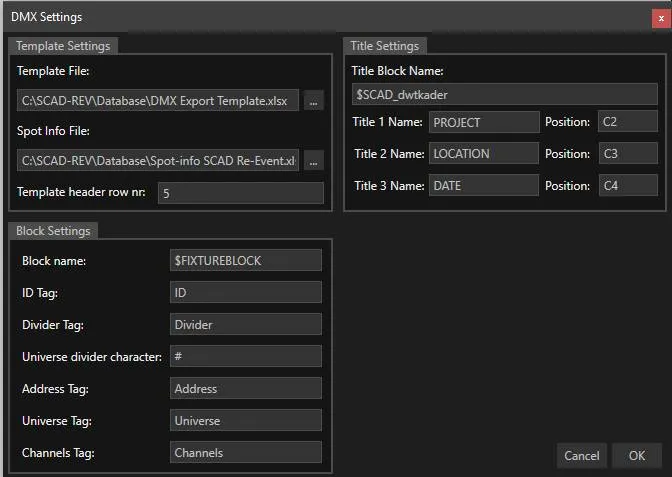
Here is an overview of the commands in the ribbon:

DMXSETTINGS : Settings for the DMX commands. Most are correct by default, but the Title settings relate to the title block in a layout. Choose here which attributes go where in the template header.
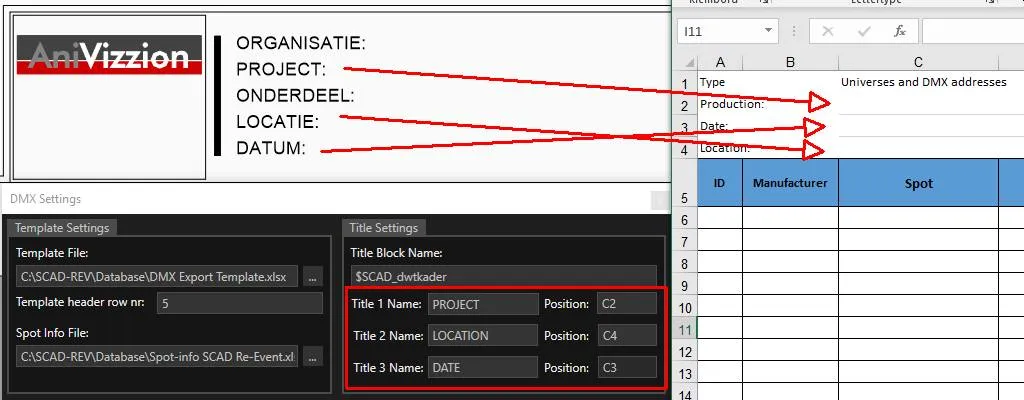
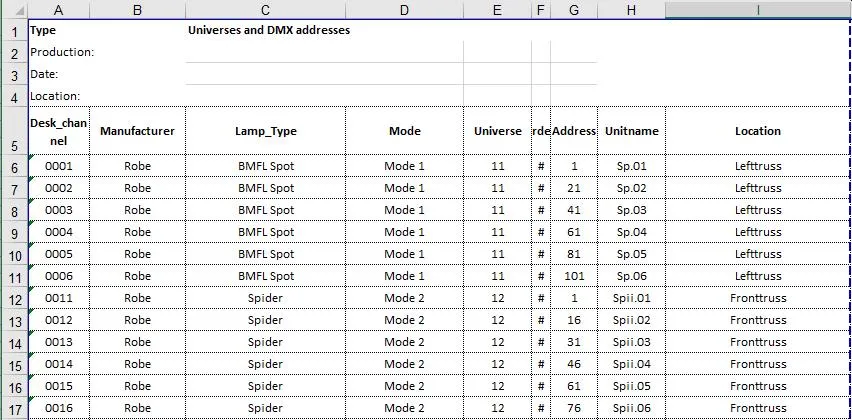
DMXEXPORT: Writes the data (attributes) to Excel using the template and saves the file next to the drawing. If an export file already exists, the data is written to it.
Once the data is filled in, DMXEXPORT writes it to an Excel file using the template (set in DMXSETTINGS). The file gets the name of the drawing and is saved in the drawing’s folder. If you make changes there and save the file (Ctrl+S), DMXIMPORT can read the data back in, and the attributes are updated from the contents of the Excel file. Make sure the Excel file is closed when you run this command.
Several SCAD Re-Event commands are useful when working with attributes:
COPYATT: copies the contents of an attribute to another block
UPATT: (Update Attribute) copies the contents of an attribute to all blocks with the same name
GATTE: (Global Attribute Edit) edits the contents of an attribute for all blocks with the same name in the drawing.
SELBKLATT: selects blocks based on the content of an attribute