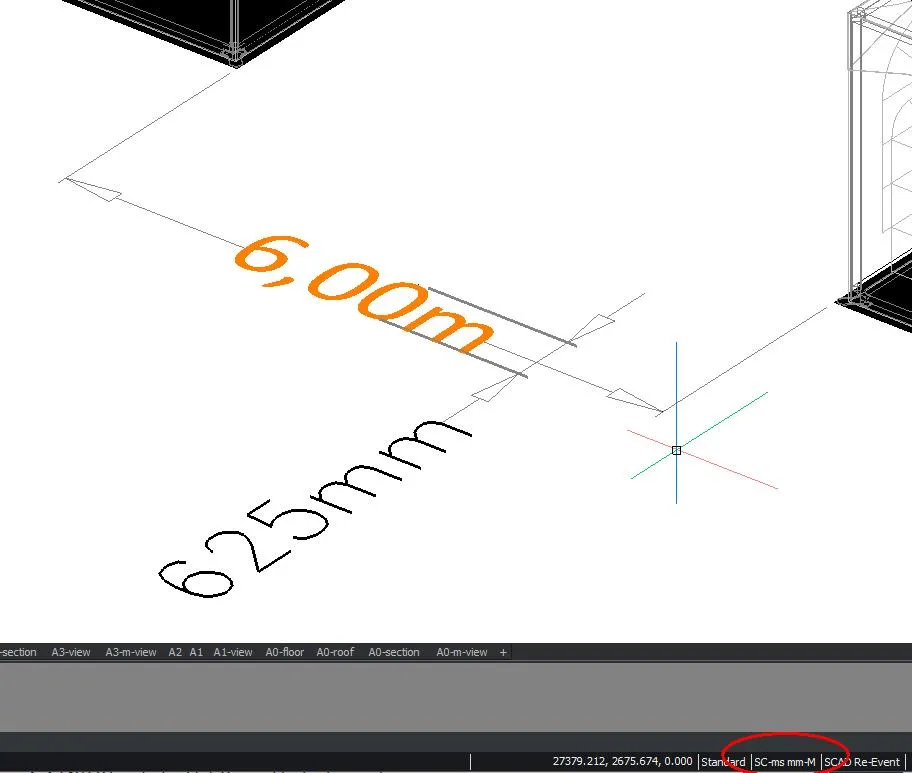
Dimensioning
Dimension objects are created in the current layer using the current dimension style, which determines how the dimensioning looks. A dimension style is a collection of settings and definitions for all parts of a dimension: dimension line, extension lines, arrows, dimension text, etc. Each drawing can contain several dimension styles, but only one of them can be the current dimension style.
To get readable dimensions in the drawing, the right Dimension Style must be available. That is why the styles are usually stored in the standard template (DWT).
By default, SCAD Re-Event has a number of styles in the template (right-click the style at the bottom of the bar):
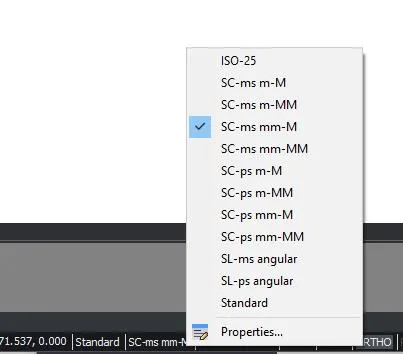
- SC stands for SCAD Re-Event
- ps or ms is Paper Space or Model Space
- m or mm stands for meters or millimeters, the unit you draw in
- M or MM stands for the unit in which the dimension is shown.